The Security Update Broke Production: A Rollback Runbook
A step-by-step runbook for when a security patch takes down production: pause the rollout, scope the damage, decide roll-back vs fix-forward, and keep the rolled-back host from becoming a silent unpatched asset.
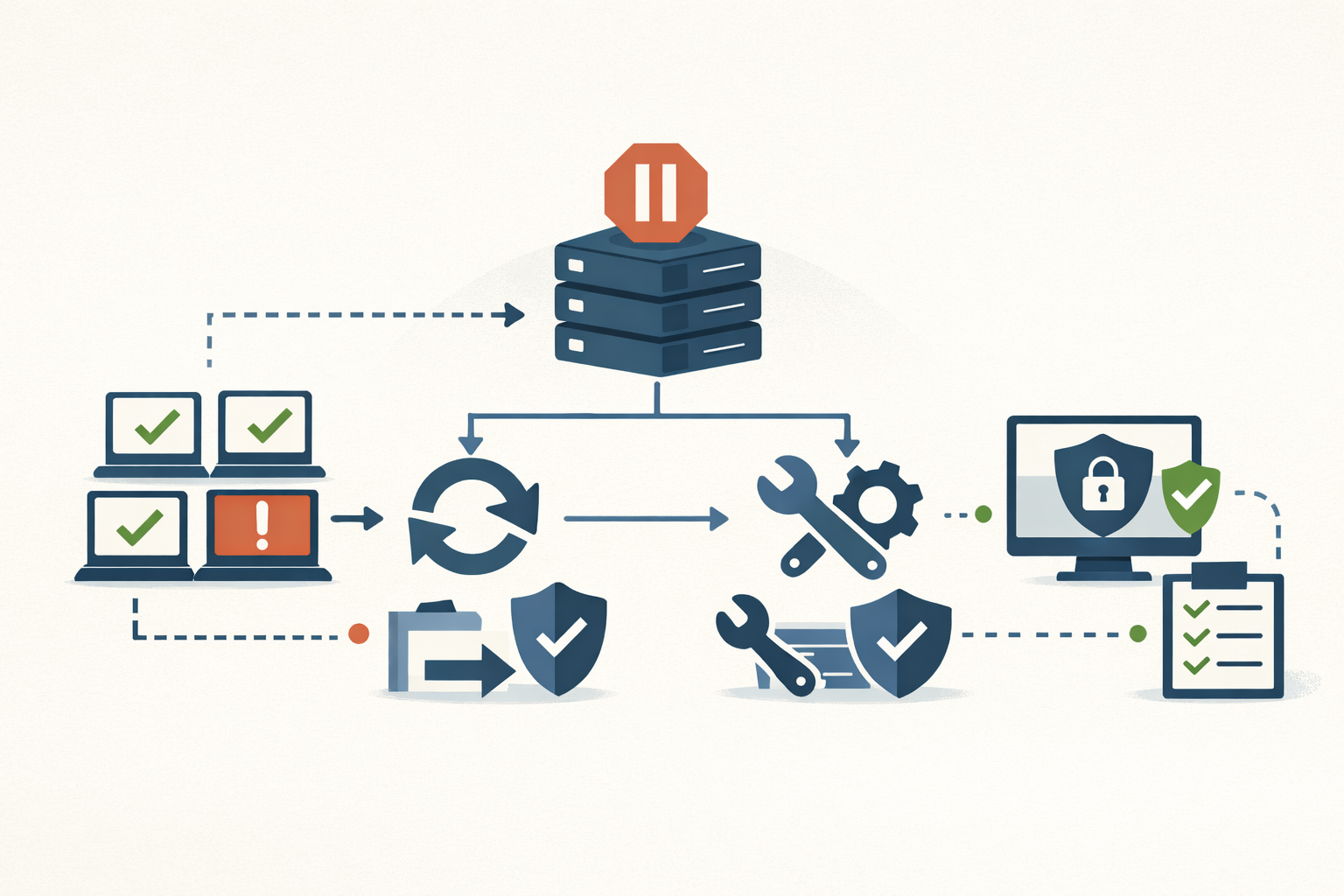
A security patch took down an estimated 8.5 million Windows hosts on July 19, 2024 (Microsoft’s figure, under 1% of all Windows devices). That was CrowdStrike’s Channel File 291, live for 78 minutes, and every machine that booted in the window dropped into a BSOD loop. The fix was per-host: Safe Mode, delete one file, reboot, and on BitLocker machines, find the recovery key first. Microsoft’s own confirmed known-issues list is a steadier drip. The March 2024 server cumulative crash-rebooted domain controllers. The August 2024 updates broke Linux on dual-boot machines. The July 2024 updates sent fleets into BitLocker recovery. The PrintNightmare fixes broke non-admin driver installs.
Bad patches are not exceptions to patch management. They are part of it. NIST writes patch failure into the standard as a planned-for outcome. So the runbook below is the thing you write before the update breaks production, so that at 2am you execute a plan instead of improvising one.
1. Stop the spread
Your first move is to stop more endpoints from picking up the update. This protects the not-yet-patched. It does nothing for hosts already broken. Those are a rollback decision (step 4). Pull the lever for your tool:
- Intune update rings: Use the Pause action. It stops Feature or Quality updates (set each independently) for up to 35 days. It is not retroactive and not instant. Devices receive the command on their next check-in, and a device can install a scheduled update before it checks in. See the Intune recovery companion for the full lever sequence.
- WSUS / SCCM: No single pause button. Decline or unapprove the update in WSUS, disable scheduled ADR evaluation so the rule stops deploying the next batch, and set the deployment to not-required or pull the update from the Software Update Group.
- Windows Autopatch: Use Halt to block progression to the next ring, or a manual Pause per ring. Note that pause and resume can take up to about 8 hours to reach devices.
- Third-party tools (Action1, Automox, NinjaOne, Tanium, PDQ): Suspend or disable the patch policy, or pause the in-progress deployment, so no new endpoints pick it up. Already-patched machines are unaffected by the pause.
2. Scope the blast radius
Before you decide anything, size the incident. Three questions:
- Which cohorts, what percentage? Read it off the rings: pilot vs broad, DCs vs servers vs laptops. This is what ring structure buys you.
- Deterministic or conditional? Does every patched host break, or only certain hardware, drivers, or config (a specific driver, a full EFI partition, dual-boot)? Conditional means you need a config fingerprint, not just “patch X.”
- Is it getting worse? If the affected count climbs as the rollout proceeds, halt now and measure after.
Severity is impact times scope. A low-count break on domain controllers or a payment gateway is still your top priority.
3. Roll back or keep going
One person owns this call: the incident commander who holds authority to halt the rollout and order the rollback. Mass config pushes or database rollbacks get human-in-the-loop approval first.
The SRE default is to roll back first and investigate second. A fix-forward attempt under pressure tends to either miss the original problem or make things worse, moving you away from a known-good state.
Roll back when the rollback is fast, reversible, broad in impact, and carries no destructive data migration.
Fix forward when rollback is destructive or impossible, a vendor hotfix is imminent, or rolling back would reopen an actively exploited vulnerability. If you do try fix-forward, timebox it. One team’s rule is 30 minutes, then roll back. Treat that as illustrative, but set a clock and honor it.
Here is the twist that makes a security rollback different: rolling back a security patch reopens the vulnerability it closed. So the decision is a risk trade, an availability incident now against a security exposure window, not a pure ops call.
4. Rollback mechanics, and their hard limits
Know which lever applies before you reach for it. Several have edges that will bite you.
-
Known Issue Rollback (KIR) reverts a single targeted change via a runtime feature flag and keeps the rest of the update. The limit that matters: KIR covers non-security fixes only. Microsoft will not KIR a security change, because doing so would reintroduce the vulnerability. Enterprise delivery is a per-issue Group Policy MSI from the Download Center: import the ADMX, set the policy to Disabled, then
gpupdate /forceand restart. -
Uninstalling the cumulative update reopens the vuln. LCUs are cumulative, so removing one rolls back every fix it carried.
wusa /uninstall /kb:is legacy and often fails on the combined SSU+LCU package on Windows 11. Use DISM instead:DISM /Online /Get-Packages DISM /Online /Remove-Package /PackageName:<LCU package name>You can remove the LCU. You cannot remove the SSU. Servicing stack updates are permanent.
-
Won’t-boot path (WinRE): Interrupt boot three times to force WinRE, then Troubleshoot → Advanced → Uninstall Updates → uninstall the latest quality or feature update.
-
Intune update-ring Uninstall rolls back the latest quality or feature update, passes the request to devices immediately, and auto-pauses that update type. It fails for a feature update applied via an Enablement Package.
When Microsoft confirmed the March 2024 DC crashes, the interim guidance was to uninstall the cumulative on domain controllers, and the out-of-band fixes shipped on March 22, 2024. Uninstall to restore service, then re-patch when the fix lands. That is the shape of most security rollbacks.
5. Communicate on a fixed cadence
Pick an interval and hold it, even when you have nothing new. Roughly every 30 minutes for a high-severity incident is a reasonable default. “Still investigating, no new info, next update in 30 minutes” is a real update. Silence fills with speculation.
A good update names what is affected and the extent, when it started, what you are doing, and the time of the next update. Give conditional ETAs, never guaranteed ones.
Keep one detail need-to-know: the fact that the rollback reopened a known vulnerability. The external status message says availability is degraded and you are working it. That you reopened a CVE stays on the secure responder channel with the incident commander’s sign-off.
6. Don’t leave a silent unpatched asset
A rolled-back host is now unpatched against an active vulnerability. Treat that as a temporary risk acceptance with compensating controls, never a silent regression.
- Apply compensating controls while the code is unpatched: virtual patching, a WAF or IPS rule on the exploit path, network segmentation, and detections tuned to the reopened CVE’s signature. CISA’s guidance where patching hurts availability is to segment, monitor, and record it.
- Track the exposure and a re-deploy trigger. Write the risk acceptance down with an expiry and a scheduled re-patch trigger (the vendor fix or a tested reissue), so the gap does not become permanent by inertia.
Write it before you need it
Every one of these steps is harder to invent during the incident than to read off a page. A patch program without a documented rollback plan is incomplete, the same way a backup you have never restored is not really a backup. ITIL has said this for years: every change record carries a back-out plan as a precondition of approval. NIST puts standing up the rollback procedure in the planning phase, next to inventory and maintenance windows.
The cohort structure that lets you scope a blast radius fast is one you design before the rollout, not during the outage. PatchDayAlert covers which patches are breaking production in the field, so your runbook entry for “this one’s a known bad” is written before your fleet finds out the hard way.
Sources
- CrowdStrike Falcon Content Update Preliminary Post Incident Report (July 2024)
- 2024 CrowdStrike-related IT outages — Wikipedia
- Microsoft confirms Windows Server issue behind domain controller crashes — BleepingComputer (March 2024)
- Microsoft confirms August updates break Linux boot in dual-boot systems — BleepingComputer (August 2024)
- Windows July security updates send PCs into BitLocker recovery — BleepingComputer (July 2024)
- BitLocker recovery known issues — Microsoft Learn
- PrintNightmare — Wikipedia
- Known Issue Rollback — Microsoft Learn
- How to uninstall a Windows update — Microsoft Support
- Manage Windows Update rings in Intune — Microsoft Learn
- Windows Autopatch quality update overview — Microsoft Learn
- Reliable releases and rollbacks — Google Cloud CRE Life Lessons
- Incident communication best practices — incident.io
- Incident commander role — PagerDuty
- Cybersecurity Performance Goals — CISA
- NIST SP 800-40r4: Guide to Enterprise Patch Management Planning — CSRC
Share
Related field notes
-
Recovering from a bad Intune deployment without making it worse
Stop the spread, unwind the damage, verify it took. A failure-mode-to-action playbook for when a config profile, app push, or CA policy goes sideways.
-
Patching Windows when your test ring is two laptops
Microsoft's deployment-ring guidance was written for orgs where 5% of the fleet is dozens of machines. Here's what the model actually buys you when 5% is two laptops, and what to substitute for the rest.
-
Your backups say success. Have you ever restored one?
A green backup job confirms bytes landed at the destination. It says nothing about whether you can boot the workload back. Here's the procedure to find out before the disaster does.
-
Five checks for Intune driver update policy coverage
Windows Autopatch manages your OS updates. Your kernel-level drivers are on their own unless you built a separate driver update policy. Here is how to tell if yours is missing and how to fix it.
Get the free CVE triage cheat sheet
Subscribe and we'll email you the one-page triage flow for fresh CVEs. Plus the weekly digest.
Subscribe