The print stack regresses on schedule
KB5087424 broke 32-bit printing on Windows Server 2022 hotpatch fleets. It's the latest data point in a five-year arc of print-stack regressions that track Microsoft's deliberate retirement of the legacy spooler architecture.
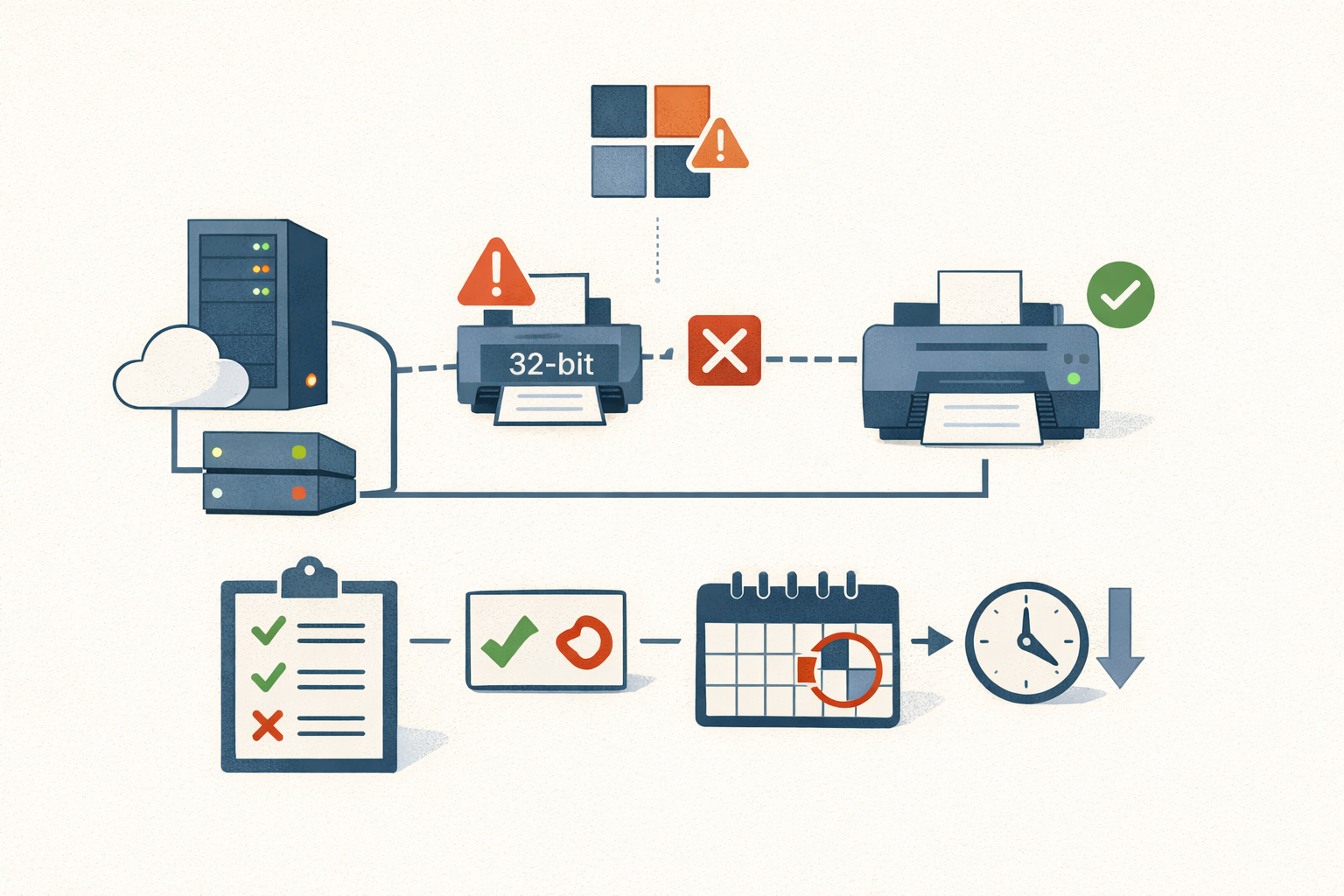
The obvious read on KB5087424 is that Microsoft shipped a May hotpatch for Windows Server 2022 and broke 32-bit printing. Any 32-bit app that calls into the print stack throws 0xc0000142 out of splwow64.exe, the WoW64 shim that 32-bit code uses to reach the 64-bit Print Spooler. Native 64-bit printing still works. Two weeks in, the Server 2022 release health page doesn’t list the issue, there’s no Known Issue Rollback, and the only field-confirmed workaround is uninstalling the hotpatch. The next scheduled cumulative is June 10. That’s the conventional take: one bad patch, narrow blast radius, wait for the fix.
The more interesting detail is that this is the fifth time in five years that a Patch Tuesday has demonstrably broken Windows printing in production. The bug isn’t the story. The cadence is.
What the data actually shows
Start in the summer of 2021. PrintNightmare (CVE-2021-34527) was accidentally disclosed in late June, Microsoft shipped an out-of-band patch on July 6, then layered Point and Print admin-credential requirements into the August cumulative. That hardening immediately broke unattended driver deployment in environments that depended on Point and Print’s silent install. BornCity tracked the September 2021 cycle shipping a follow-on fix on top of August’s hardening. By October, KB5006670 replaced Win32spl.dll with a version that broke network printing for many environments, returning 0x00000709 errors and forcing Microsoft to ship another out-of-cycle fix two weeks later.
The pattern held into the next year. The October 2022 cumulative broke printer extensions for Type 4 drivers in a way that wasn’t fully closed until the November 2023 updates. In January 2025, a separate class of failure surfaced: dual-mode USB printers began emitting raw IPP protocol headers instead of documents. Microsoft fixed that via Known Issue Rollback in February 2025 and didn’t permanently close it until KB5053657 in March. And now KB5087424.
Five distinct print regressions across five years isn’t a run of bad luck. It’s the shape of a transition. Microsoft has been openly unwinding the legacy print architecture for most of that span. In September 2023, the print team published an End of Servicing Plan for Third-Party Printer Drivers with a phased timeline: third-party drivers blocked from Windows Update by default starting January 15, 2026; the IPP inbox class driver elevated to the preferred path by July 2026; security-only fixes for legacy drivers from July 2027 onward. Three months later, the MORSE team disclosed that Print Spooler bugs account for nine percent of all Windows MSRC cases, and pitched Windows Protected Print Mode, an IPP-only architecture that runs the spooler as a restricted process rather than SYSTEM, as a mitigation for more than half of all known print-class vulnerabilities. WPP shipped with Windows 11 24H2 in October 2024.
What that timeline describes is a platform deliberately moving its testing budget, attention, and architectural investment away from the legacy spooler and toward the IPP-driverless replacement. Every Patch Tuesday since 2021 has carried some amount of hardening work against legacy spooler attack surface that the platform is openly trying to retire. The legacy code paths still ship, still get security fixes, and still have to interact with everything else in the OS. They just receive less per-cycle scrutiny than they did when they were the future.
KB5087424 lands squarely inside that window. splwow64.exe is exactly the kind of compatibility shim that draws the short straw under those conditions: a WoW64 bridge between 32-bit applications and the 64-bit spooler, both halves of which are slated for replacement. The hotpatch channel makes it worse in a specific way. Hotpatches mutate code in memory rather than swapping files on disk, which means a security fix touching a spooler-adjacent DLL can disrupt initialization ordering in ways that don’t surface in conventional-CU testing. That’s a hypothesis from the symptom, not a Microsoft postmortem, but the failure mode is consistent with it.
What this means for prioritization
The pattern matters more than the bug, because the bug will get fixed and another one will replace it. If you operate Windows Server 2022 fleets that still depend on the legacy print stack, the right mental model is no longer “occasionally a patch breaks printing.” It’s “the print stack is in an extended end-of-servicing posture, and friction during that posture is the baseline, not the exception.”
A few specific implications follow from that read, none of them prescriptive.
The hotpatch channel is structurally a higher-variance delivery mode for any subsystem that interacts with the legacy spooler. That doesn’t mean hotpatching is wrong. It means the cost of an early adopter slot for hotpatch-delivered security content on a print-dependent fleet is currently higher than the cost on a conventional-CU fleet. Whether that cost is worth bearing depends on the value of the no-reboot property, which is real, against a population of legacy-print workloads, which is shrinking but not yet small.
The Remote Desktop Services slice of Server 2022, where 32-bit line-of-business clients still cluster, is the part of the legacy print stack most exposed to this class of regression. Those hosts tend to share two properties: they’re running applications nobody is paying to port to 64-bit, and they’re running printer drivers nobody is paying to rebuild for v4 or IPP. Both of those properties are why the hosts exist in their current form, and both are what Microsoft’s end-of-servicing plan is steering away from. The deprecation calendar and the regression cadence are aimed at the same population.
The line in Microsoft’s own MORSE disclosure that nine percent of Windows MSRC cases come from the Print Spooler is the part of this story that doesn’t get quoted enough. Nine percent of a vendor’s security caseload is not a maintenance burden, it’s a category. A category that big getting retired is exactly the kind of multi-year shift that produces this many regressions along the way.
What to watch
The unresolved question on KB5087424 is whether the regression is hotpatch-only, or whether it’s also present in the conventional KB5087545 cumulative for the same cycle. The two updates are paired by design to keep both delivery channels on the same security baseline, which means they share most of the security content. If the bug is confined to the in-memory hotpatch code path, the root cause sits in the hotpatch diff mechanism and the population stays bounded to the Autopatch-enrolled Server 2022 Datacenter: Azure Edition slice. If the same regression surfaces on the full CU once those installs accumulate field reports, the fault is in the security fix itself, and the bounding assumption that “this only affects hotpatch hosts” stops holding.
The broader signal worth tracking is what the June cumulative does. A KIR or out-of-band fix arriving before June 10 would suggest Microsoft is treating this as an acute customer-facing regression. Waiting until the next scheduled cycle would suggest it’s being absorbed into the normal cadence, which would be more consistent with the multi-year pattern than with the urgency the early field reports imply.
PatchDayAlert tracks regressions like this as they surface, in the same digest as the CVE drop they ride alongside. A patch you can’t safely apply is operationally indistinguishable from a CVE you haven’t patched, and a print stack inside a planned five-year retirement is going to keep producing both.
Sources
- Microsoft: May 12, 2026—Hotpatch KB5087424 (OS Build 20348.5074)
- Microsoft: May 12, 2026—KB5087545 (OS Build 20348.5139)
- Windows Server 2022 release health
- End of Servicing Plan for Third-Party Printer Drivers on Windows
- BornCity: Patchday-Nachlese Mai 2026
- BleepingComputer: Microsoft fixes printing issues caused by January Windows updates
- The Register: Microsoft deborks USB printers
- BleepingComputer: Microsoft unveils Windows Protected Print Mode
- MSRC: CVE-2021-34527 (PrintNightmare)
- BornCity: Windows October 2021 Updates – PrintNightmare status and network printing issues
Share
Related field notes
-
Hotpatch was supposed to be the smoother path
KB5087424 broke 32-bit printing on Windows Server 2022, and the no-reboot delivery model that was supposed to reduce friction has no fix path that doesn't surrender the security content.
-
Hotpatch goes default in Autopatch. You have 10 days.
Microsoft flips hotpatch on by default for all Autopatch tenants May 11. If you haven't inventoried your fleet against the requirements, you're about to get a split patching model you didn't plan for.
-
One CERT says it's exploited, Microsoft says it isn't, and you patch anyway
A pre-auth SYSTEM RCE on every domain controller doesn't need an exploitation rumor to earn the top of your patch queue. The interesting part is why the alarm and the data disagree, and why that disagreement shouldn't change your call.
-
Microsoft titled it Spoofing. It's session hijacking.
CVE-2026-42897 is the first real test of Exchange Server Subscription Edition's new servicing model. Four days in, the answer is a mitigation that breaks four OWA features and an SU with no ship date.
Get the free CVE triage cheat sheet
Subscribe and we'll email you the one-page triage flow for fresh CVEs. Plus the weekly digest.
Subscribe