Three June 30 Microsoft 365 retirements that fail silently
A printer stops scanning to email, a conference-room keyboard's mute key dies, a town hall won't schedule. None of these will announce themselves on June 30, 2026.
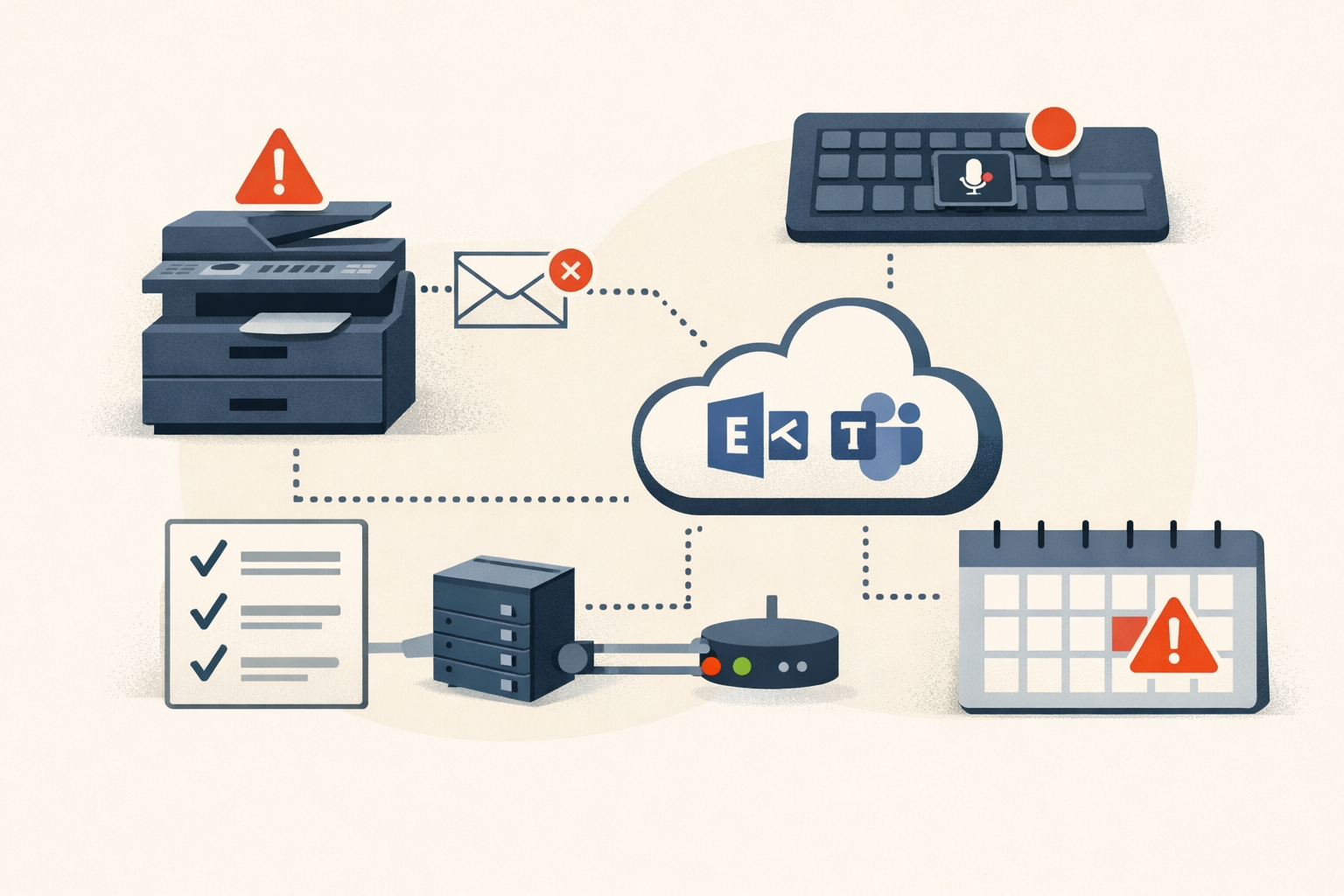
On July 1, a multifunction printer somewhere in your environment will stop scanning to email and nobody will know why. No alert, no error in your console, no ticket that says “EWS.” Just a copier that worked Friday and doesn’t Monday, and a help-desk technician who spends an hour checking SMTP relay settings before someone thinks to ask what license the mailbox holds.
That’s the shape of all three Microsoft 365 changes landing June 30, 2026. They don’t retire apps, they retire integrations. Apps fail loudly. Integrations fail quietly, on the next scheduled run, in a corner of the environment that doesn’t roll up to your change calendar. Here’s what each one is, how to tell whether you’re exposed, and the honest urgency on each. Whether you’re exposed comes down to which licenses, hardware, and broadcast workflows you actually run, and few environments hit all three.
What changed: a quick model
| Retirement | What it actually is | Who’s exposed | What breaks | What to do |
|---|---|---|---|---|
| EWS for Kiosk/F1/F3 (MC1191578) | License-tier enforcement: EWS blocked on frontline/kiosk mailboxes | Anyone with shared-credential integrations on kiosk-licensed mailboxes | Scan-to-email, backup/archive tools, home-grown EWS workflows return HTTP 403 | Reassign to a license tier that keeps EWS, then plan the Graph move |
| Teams “third-party app API” (MC1266901) | Client-side peripheral-pairing channel in the Teams desktop client | Shops with collaboration keyboards or Stream Deck Teams controls | Hardware mute/camera/hand-raise keys stop controlling meetings | Inventory the hardware, rebind to shortcuts or open a vendor case |
| Teams Live Events (MC1226495) | Retirement of the live-events broadcast format | Teams that still schedule live events or automate them via Graph | No new events after June 30; Graph isBroadcast removed | Migrate organizers to town halls; fix Graph automation |
EWS blocked for frontline and kiosk licenses
From June 30, Microsoft blocks Exchange Web Services for any mailbox licensed only under Exchange Online Kiosk, M365/O365 F1, or F3. Requests from those mailboxes return HTTP 403 (Exchange Team blog). This was originally a March 1 change; Microsoft pushed it to June 30 on December 15, 2025.
This is the one most likely to bite, because the blast radius is wider than “frontline licenses” suggests. Kiosk and frontline mailboxes are a common home for shared-credential service accounts, the kind that predate Graph and got set up years ago by someone who’s no longer here. Tony Redmond’s analysis flags the usual suspects: copiers and MFPs scanning to email over EWS, backup and archiving ISV tools pointed at a cheap kiosk account, and home-grown scripts nobody documented. After June 30, every one of those throws a 403 the moment it touches a mailbox running one of the three SKUs.
The fix is cheap when it’s a license problem: attach an Exchange Online Plan 1/2 or M365/O365 E3/E5 license and EWS comes back. No code change, no vendor ticket. The catch is finding the mailboxes before the printer finds them for you.
And this is just the opening move. The Kiosk block sits inside a larger EWS wind-down: general disablement across all of Exchange Online begins October 1, 2026, with EWS fully gone by May 2027. After October 1, tenants where EWSEnabled is still null get flipped to false as the rollout reaches them, cutting off every EWS app regardless of license. The default after October 1 is blocked. If you have EWS apps you can’t migrate by then, you need EWSEnabled=True plus an allow-list before late August 2026.
To find what you’re running, start with the EWS Usage Report in the M365 admin center (Reports > Usage > Exchange > EWS Usage). It lists apps by Entra app ID, the SOAP actions they call, volume, and last activity across 7/30/90-day windows (Microsoft Learn). Note that it’s app-level, not mailbox-level, so it tells you what is calling EWS, not which kiosk mailbox absorbs the 403 first. For internal code, the EWS Code Analyzer scans for calls that need a Graph equivalent.
The Teams peripheral-pairing API (not a Graph API)
This one is widely mislabeled as a “Teams meeting API” or “call-control API” retirement. It is not a Graph endpoint, and getting this wrong sends you hunting in the wrong place.
Per MC1266901, Microsoft is removing a client-side integration method inside the Teams desktop client (Windows and macOS), the one under Settings > Privacy > Third-party app API with a “Manage API” toggle (Microsoft Support). It issues pairing tokens to external hardware and software so they can send in-meeting commands: mute/unmute, camera on/off, background blur, hand raise, reactions, end meeting. Microsoft is explicit that published Graph APIs and supported integration models are not affected. If your integration runs through Graph, you have nothing to do here.
The impact is hardware-first, small change with an outsized annoyance factor. Dell has confirmed that three of its collaboration keyboards lose their dedicated Teams control keys after June 30: the KB900, KM900, and KB525C. Elgato pulled its official Teams plugin from the Stream Deck Marketplace back in December 2025. So the user who hits this is the one in a huddle room whose physical mute button suddenly does nothing mid-call, which is exactly when they’ll notice and exactly when they’ll file a ticket.
There’s no tenant config to change, because the removal is client-side. The admin work is identifying which hardware used this pairing channel, telling those users ahead of time, and giving them the keyboard shortcuts as a fallback (the standard Teams shortcuts are Ctrl+Shift+M for mic, Ctrl+Shift+O for camera, Ctrl+Shift+E for screen share) or opening a vendor case. Crestron, Poly, Logitech, and Jabra are not named in any Microsoft advisory; whether their control software breaks depends on whether it used this pairing channel or a certified Teams Rooms path. If you run their gear in meeting rooms, open vendor cases now rather than finding out on July 1.
Teams Live Events retires; town halls replace it
Teams Live Events retires June 30, 2026 (MC1226495). The date is June 30, not June 29; some aggregators list the 29th and they’re wrong. After that date, no new live events can be scheduled and the scheduling UI is gone. The wind-down was staged: you lost the ability to schedule events dated beyond June 30 back on February 3, 2026, and the Viva Engage live-event path closed April 15.
The good news for anyone with events already on the calendar: events scheduled before June 30 are honored through February 28, 2027, an eight-month grace window. The migration target is Teams town halls, and the numbers are a genuine upgrade (Microsoft Learn): up to 30 hours of runtime instead of 4, and Q&A scaling to 100,000 attendees instead of 10,000. Microsoft’s switch guide walks organizers through it.
The part that lands on you rather than on event organizers is the Graph automation. The isBroadcast property is being removed: out of beta on March 31, 2026, and out of v1.0 on June 30, 2026 (Dev Blog). If anything in your environment creates live events programmatically, it breaks, and the replacement is virtualEventTownhall / virtualEventWebinar. One bright spot for the network team: Microsoft’s eCDN is now the default for town halls and is included with Teams Enterprise as of April 1, 2026 (Microsoft Learn), so third-party eCDN users may find the routing already handled.
Where this leaves you
The triage is the same for all three, and it’s the one habit that actually catches silent breakage: treat the Message Center (Health > Message Center, filtered on the “Retirement” tag) as authoritative, and use the Planner sync to assign each post an owner (Microsoft Learn). That ownership step is the whole game, because the recurring failure mode here is structural: the Message Center email goes to whoever holds the admin role, not to the person who owns the printer fleet, the room hardware, or the all-hands broadcast that quietly stops working.
That’s the real lesson in these three. An integration retirement never breaks the thing the email was about. It breaks something two hops downstream, owned by someone who never saw the notice, on a Monday when the person who did is in a different meeting. The severity score on none of these is high. The cost is entirely in who absorbs the surprise.
We read the Message Center “Retirement” tag so you can spend your morning assigning owners instead of finding out from a copier. That’s what PatchDayAlert is for: the change two hops downstream, named before it bites.
Sources
- Update to EWS Access for Kiosk / Frontline Worker Licensed Users (Exchange Team Blog)
- Microsoft Blocks EWS for Kiosk Accounts (Office365itpros / Tony Redmond)
- Deprecation of Exchange Web Services in Exchange Online (Microsoft Learn)
- EWS Usage Report (Microsoft Learn)
- MC1266901 — Teams third-party meeting/call-control API retirement (archive)
- Connect to third-party devices in Microsoft Teams (Microsoft Support)
- Upcoming Retirement of Teams Third-Party API Integration for Dell Collaboration Keyboards (Dell)
- MC1226495 — Teams Live Events retirement (archive)
- Plan for Teams town halls (Microsoft Learn)
- Switch from Teams live events to town halls (Microsoft Support)
- Deprecation notice: Teams Live Events creation via Microsoft Graph (Dev Blog)
- Enterprise content delivery networks for Teams events (Microsoft Learn)
- Prepare for Microsoft 365 updates with Message Center (Microsoft Learn)
Share
Related field notes
-
Recovering from a bad Intune deployment without making it worse
Stop the spread, unwind the damage, verify it took. A failure-mode-to-action playbook for when a config profile, app push, or CA policy goes sideways.
-
The most expensive sentence Microsoft can write is 'no customer action required'
CVE-2026-33823 ships with a server-side fix and a 9.6 CVSS, but the audit log doesn't record portal-layer access. The patch is free. The compliance work isn't.
Get the free CVE triage cheat sheet
Subscribe and we'll email you the one-page triage flow for fresh CVEs. Plus the weekly digest.
Subscribe